Dev Hub: one place for your team and its coding assistants
A private Pagehive site that tracks your app's to-dos, bugs, decisions and releases. Your coding assistants keep it up to date as they work; people make the calls.
If you build an app with AI coding assistants, they can write code faster than you can keep track of it. Which bug is someone fixing? What is waiting for a check? Did we ever decide on the login screen? The answers end up spread over chats, notes and memory.
Dev Hub is one private website that holds all of it: the to-do list, bugs, decisions, the plan and what went out in each release. Your AI assistants work in it the same way your team does. Every time one of them picks up a task or finishes one, the board moves with it.
Pagehive is where your AI assistant builds and looks after websites like this. Dev Hub is a ready-made design for one, called a showcase: your assistant builds your own copy from it in one go.
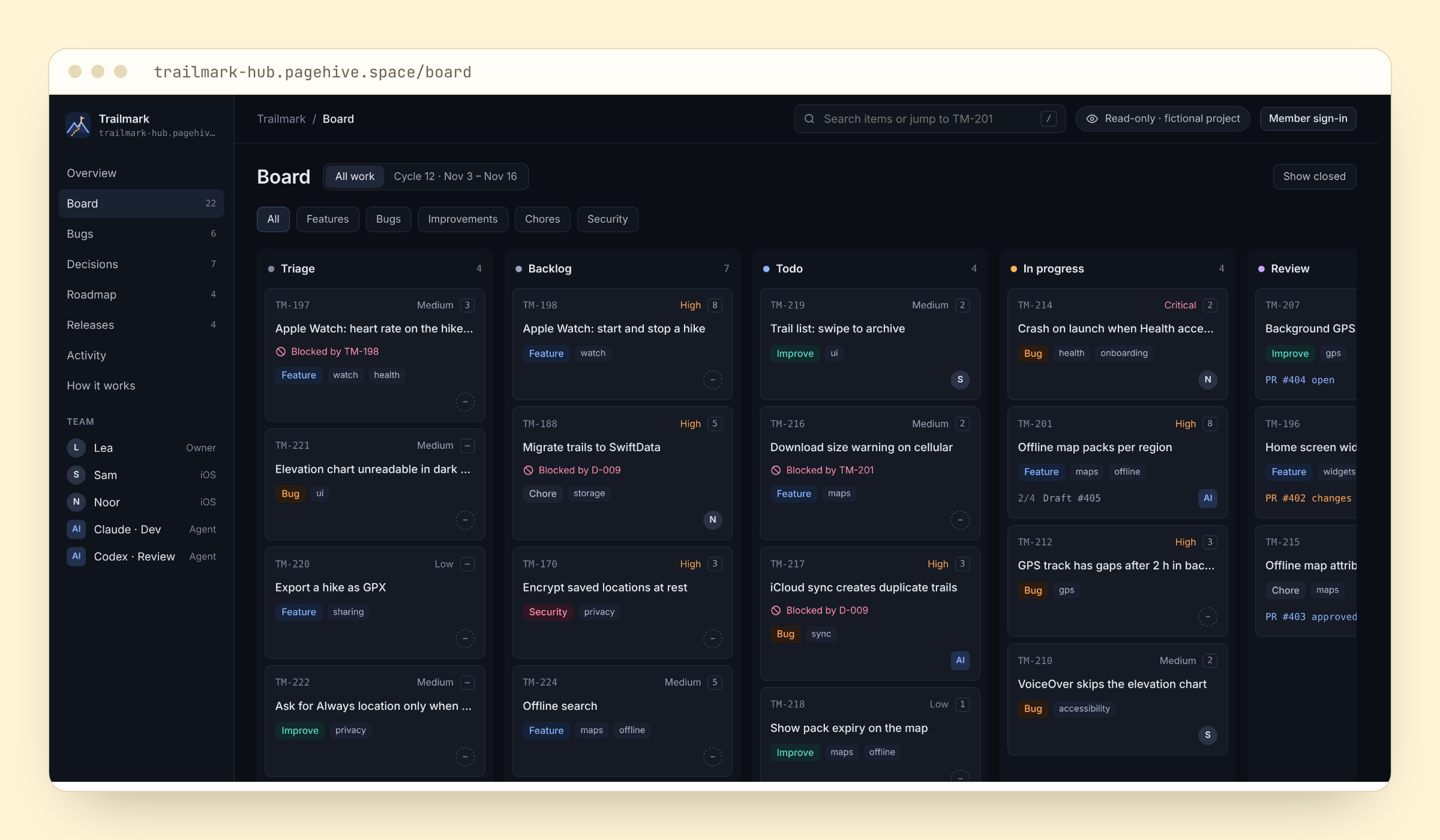
Every step lands on the board
Picture a card on a board, like a sticky note on a wall. Here is what happens to it.
- Picked up. An assistant takes a task from the To do column, puts its name on it and moves it to In progress. Nobody else's assistant will grab the same one.
- Ready for a check. When the code is ready for a person to look at, the card moves to Review. Another assistant can read it first and leave notes.
- Stuck. If the task waits on something else, the card is marked as blocked and a comment asks the team. You see it on the front page under Needs attention.
- Done. A person approves the code and adds it to the app. The card moves to Done, the plan moves forward and the release notes write themselves.
You don't have to remind anyone to update the board. Keeping it current is part of how the assistants work.
People make the calls
Dev Hub has two rules your assistants never break. They never add code to the app on their own; a person does. And they never decide; they can suggest a choice, but only you accept or reject it.
Decisions get their own page. Anyone on the team can propose one, list the options and vote. The final word is yours, and the page keeps a record of what was chosen and why, so nobody asks again three weeks later.
One more rule protects you: anything a person types into the hub, like a comment or a bug report, is read as information, never as an order. Nobody can slip an instruction to your assistants into a bug report.
What your team sees
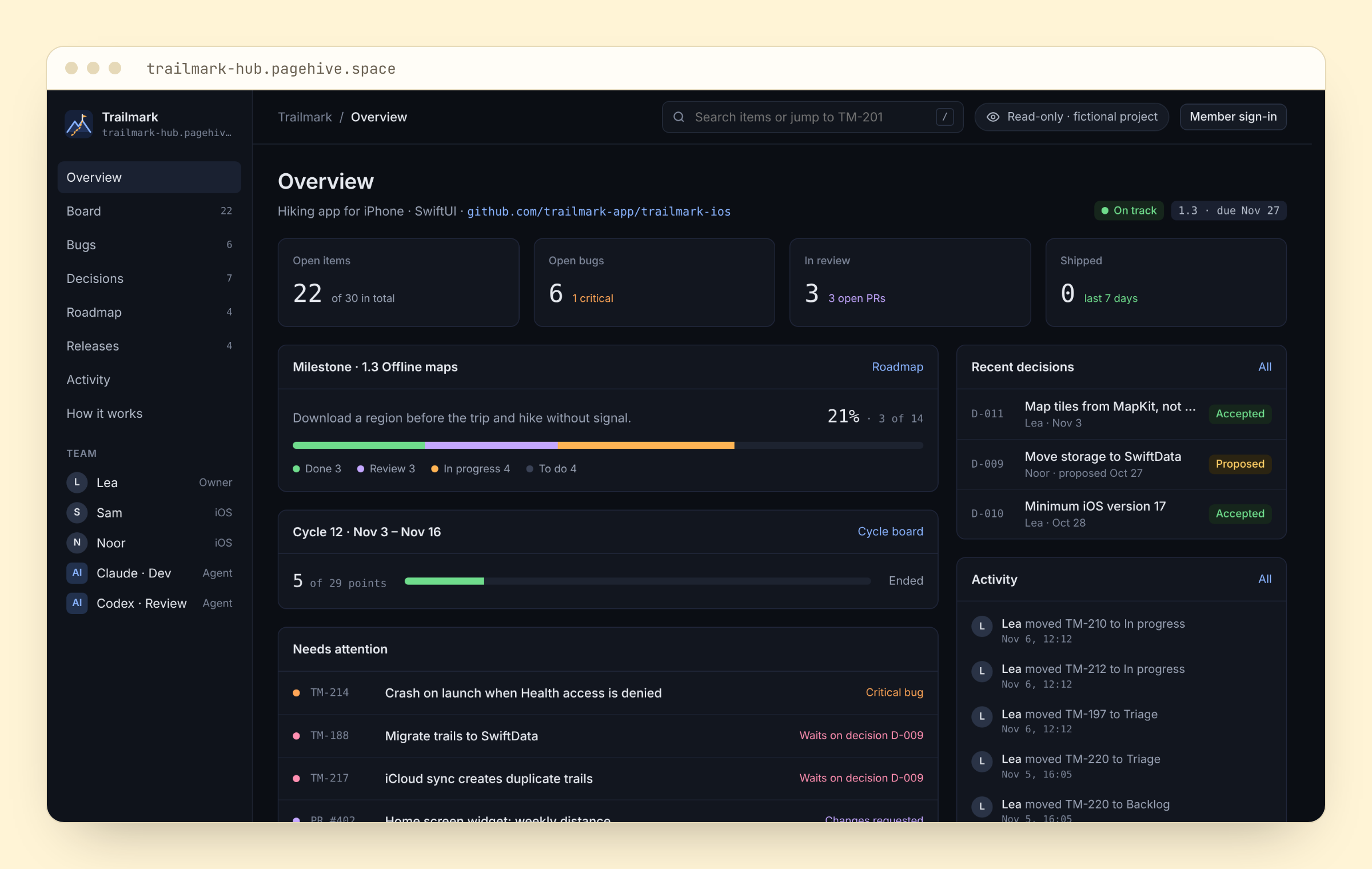
- Overview: progress toward the next milestone, what is waiting for a check, what is stuck and the latest activity.
- Board: columns from Triage to Done. Team members drag cards and filter by person or type.
- Bugs: how serious each one is, where it happened and who reported it, with a Report bug button.
- Decisions: open questions, the options, votes and what was decided.
- Roadmap: milestones on a timeline.
- Releases: a changelog sorted into Added, Fixed, Security and Changed.
- Activity: a day-by-day record of who picked up, moved or commented on what.
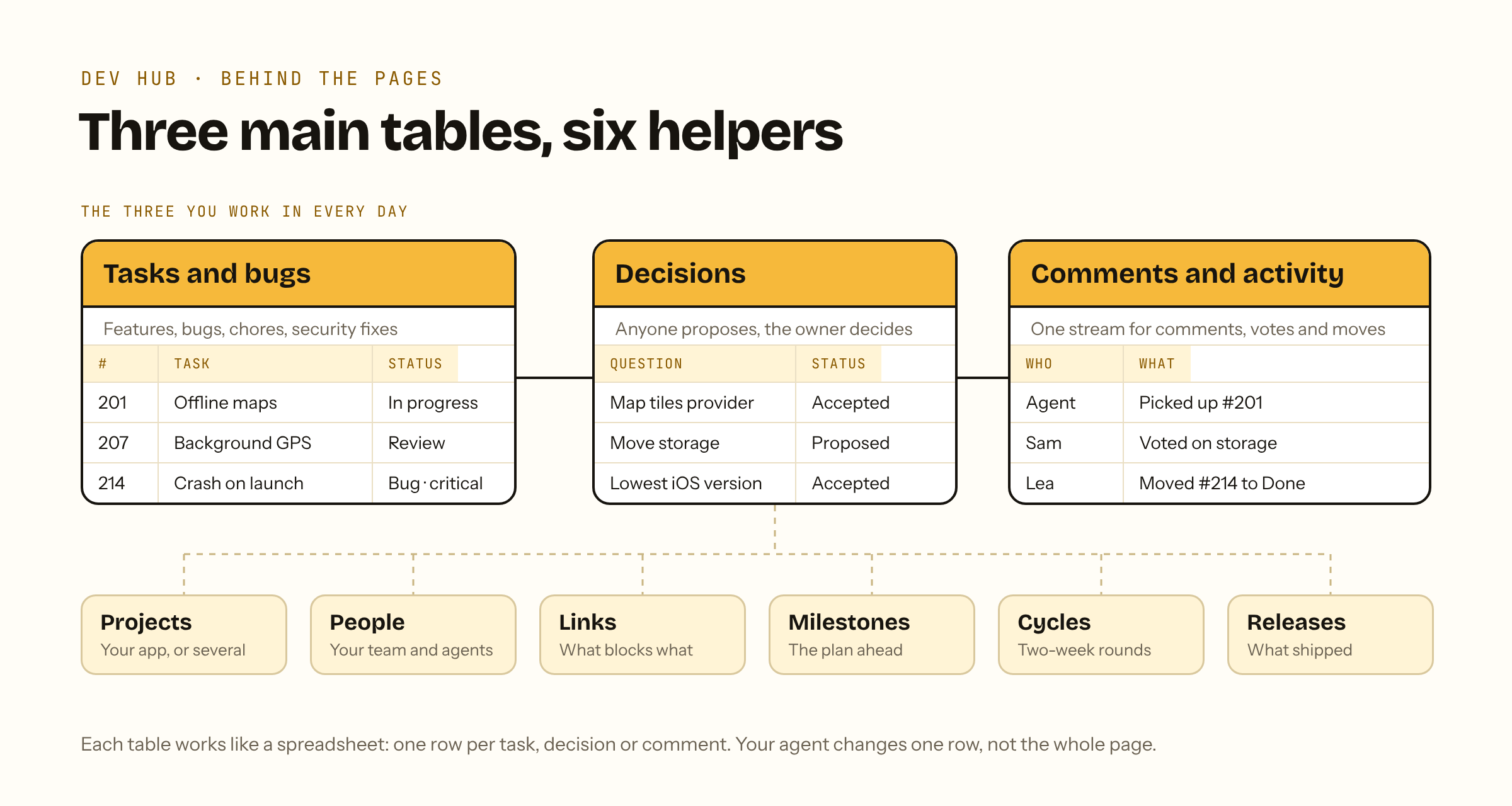
Behind these pages, everything sits in a few tables, like spreadsheets with one row per task, bug or decision. That is why your assistant can update a single task with one short message instead of redoing a page.
Your assistant builds it
Once your AI assistant is connected to Pagehive, copy the first prompt from the box next to this post and paste it into your chat.
Your assistant reads the plan, asks for your project's name and your team, and builds the site: the pages, the tables and a short guide that tells every assistant how to work in it. It shows you the result before anything goes live.
Then copy the second prompt into the instructions of each of your coding assistants. They read the guide before they start, and follow it from then on.
The hub is private: only people you invite can open it. You can make it readable for everyone later, for example to show customers what is coming. You can see a live demo for a made-up app before you build your own.
What it takes
Dev Hub works on every plan. It uses nine tables, and Free and Basic come with ten, so on those plans it takes up almost all of your room. Pro and Ultra have space for much more. Invite up to 5 people per site on Free, 10 on Basic, 50 on Pro and 200 on Ultra.
Compare the plans to see what fits.